Digital signage for hospitals and clinics
Every hospital TV screen, run from one phone.
Show today's doctors outside each OPD, visiting hours in Hindi and English, health awareness slides and patient feedback polls. Ulloo Events puts the TVs in your lobby, waiting areas and departments on one schedule, and they keep playing when the internet goes down.
The problem
Waiting-room TVs that don't help patients
- Patients ask the same questions all day. Which doctor is in today, where radiology is, when visiting hours start.
- Printed notices go out of date. OPD timings change, camps end, and paper boards stay up.
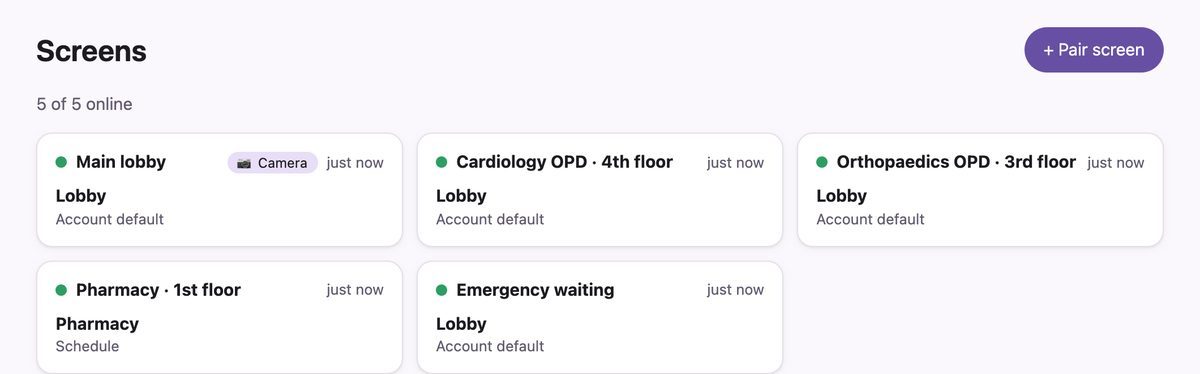
- Each department works differently. Cardiology, orthopaedics and the pharmacy need different screens at different hours.
- Outages happen. When the internet drops, a cloud-only screen goes blank or freezes.
What your hospital screens can show
OPD doctor boards, directories and health awareness, on a timetable
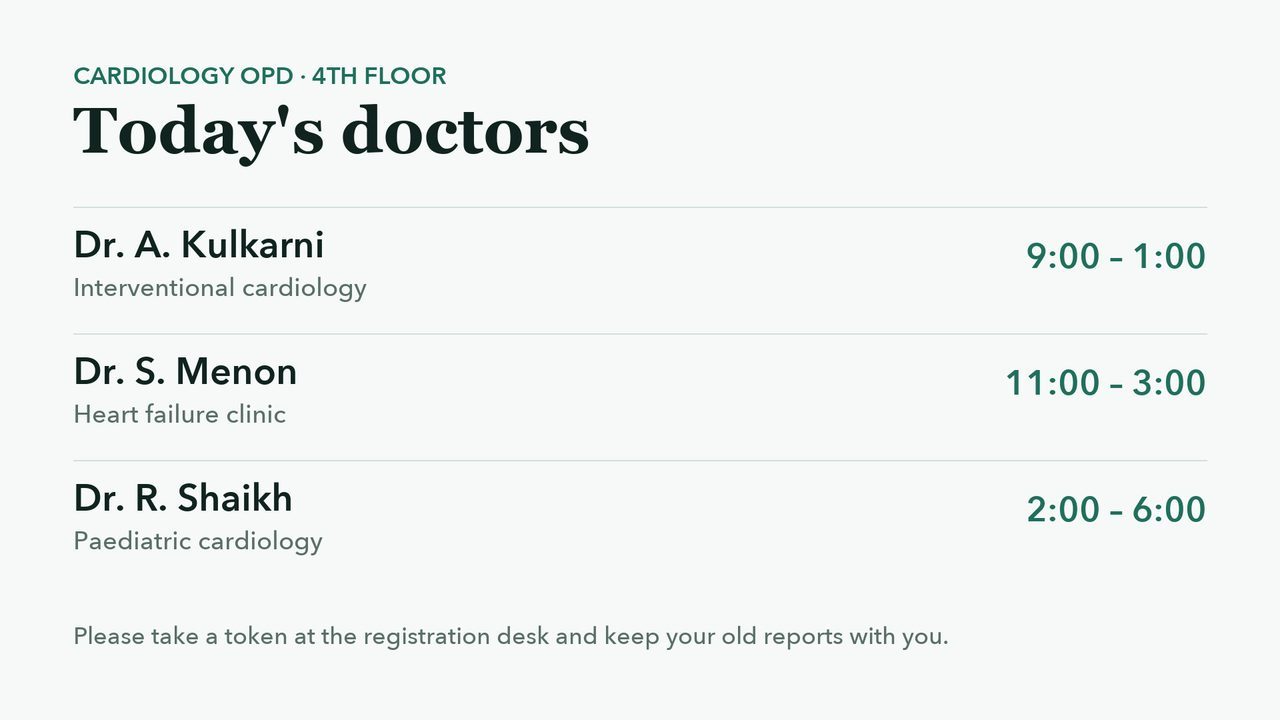
These are real screens from our demo hospital, played by the Ulloo Events TV player.
-
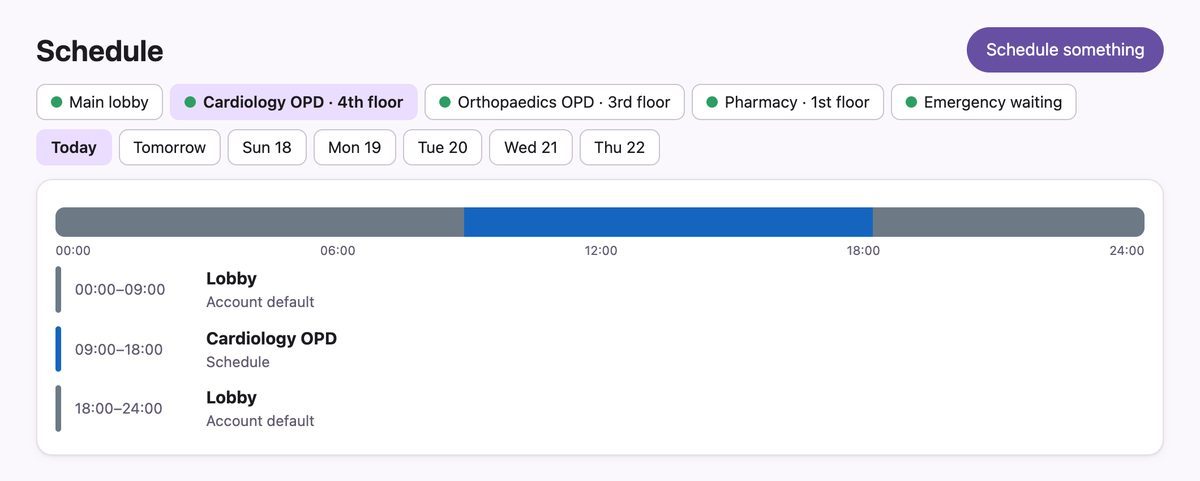
09:00OPD hours
Today's doctors outside each OPD
The cardiology waiting-area TV shows the day's consultants and timings during OPD hours, then goes back to the lobby playlist at 18:00.
-
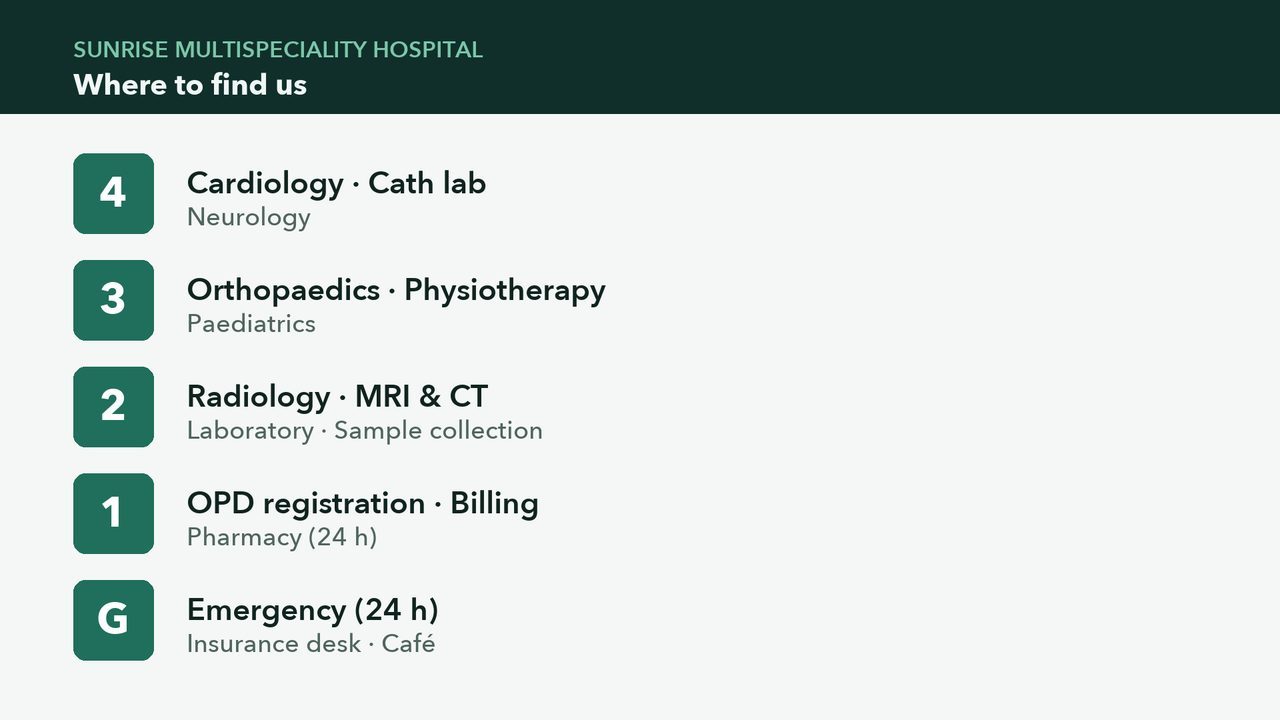
All daymain lobby
Directory, camps and awareness
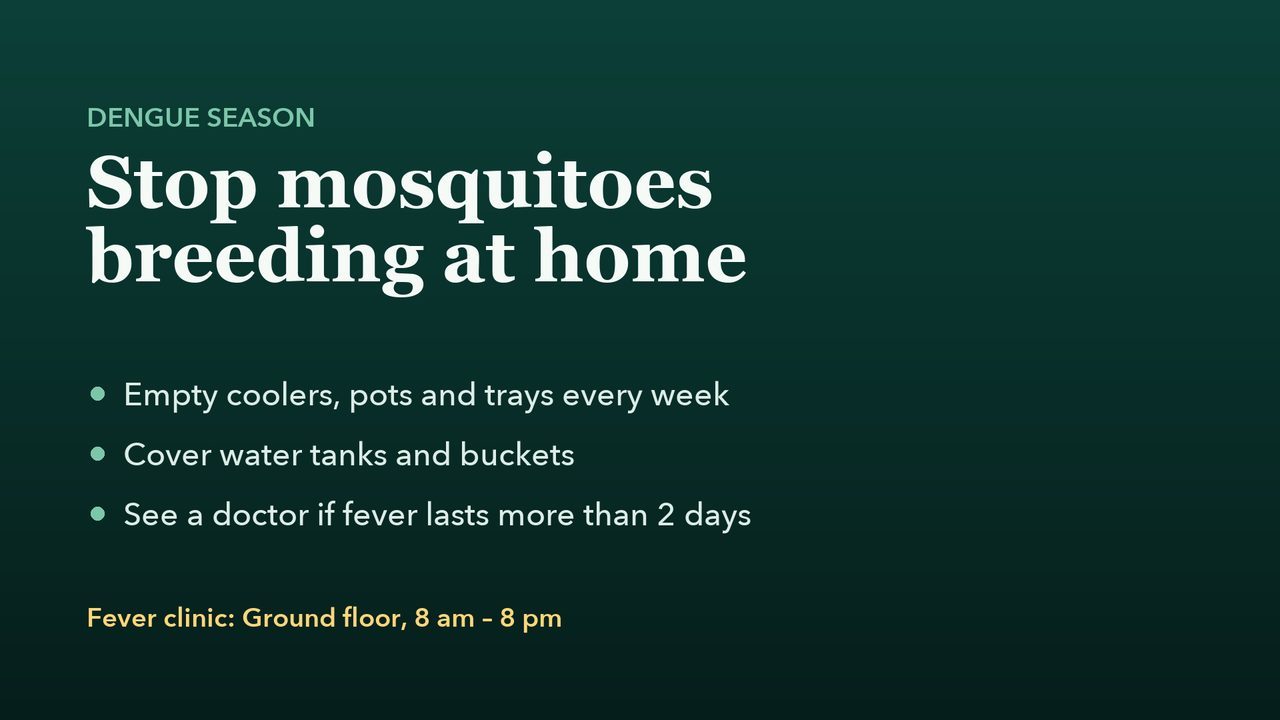
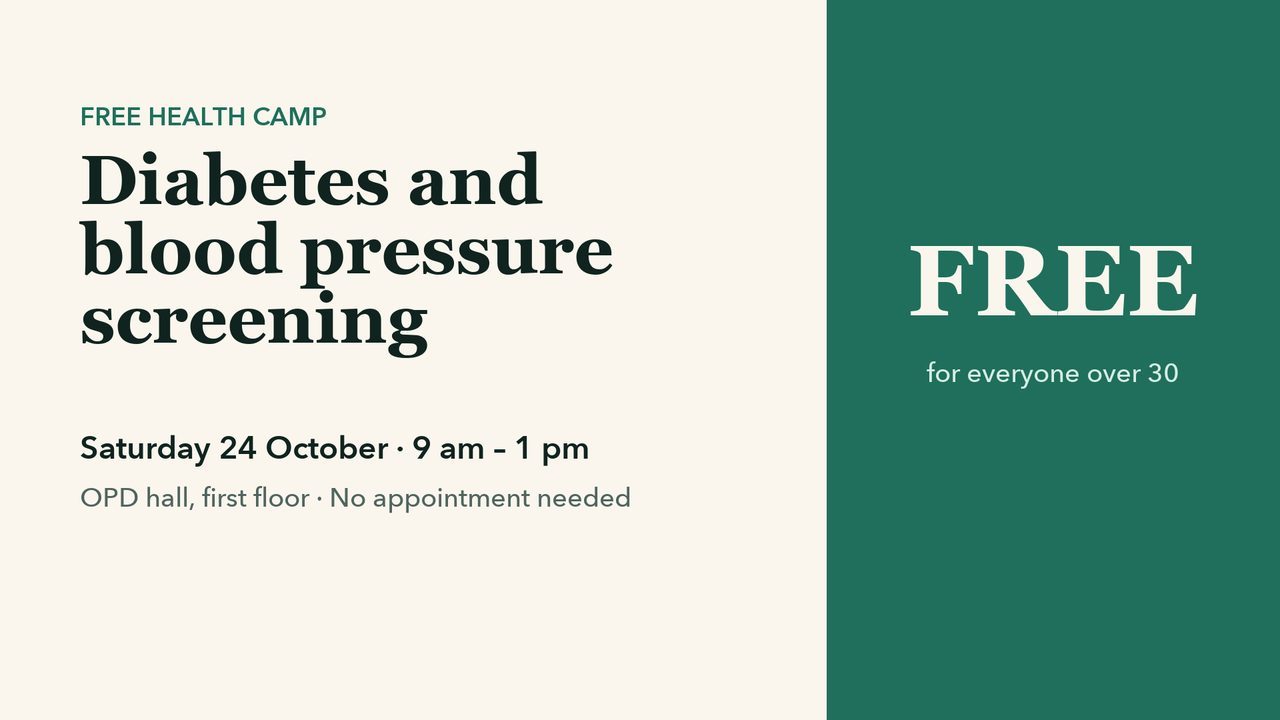
A floor directory, free health camps and seasonal awareness such as dengue prevention, in a loop.
-
16:00wards
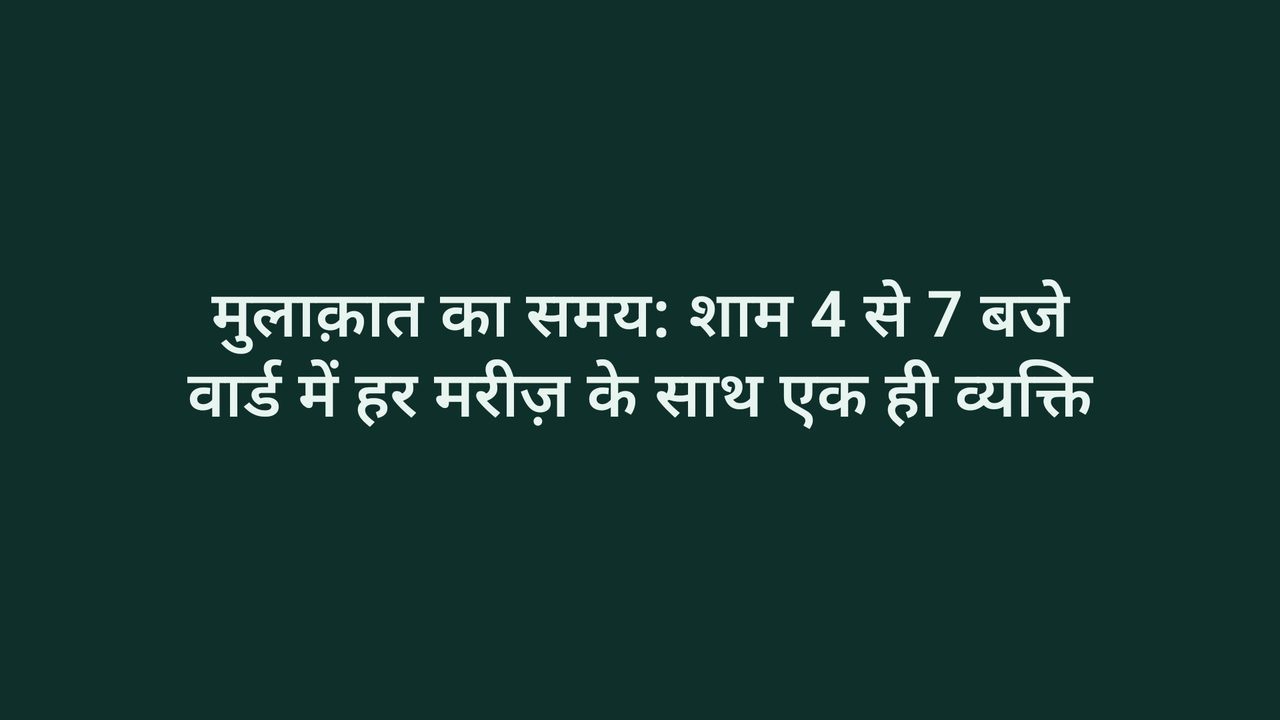
Visiting hours in the patient's language
Type a notice or have it drafted in Hindi, Marathi, Tamil, Bengali and 20 more languages. Nothing goes on screen until it's approved.
-
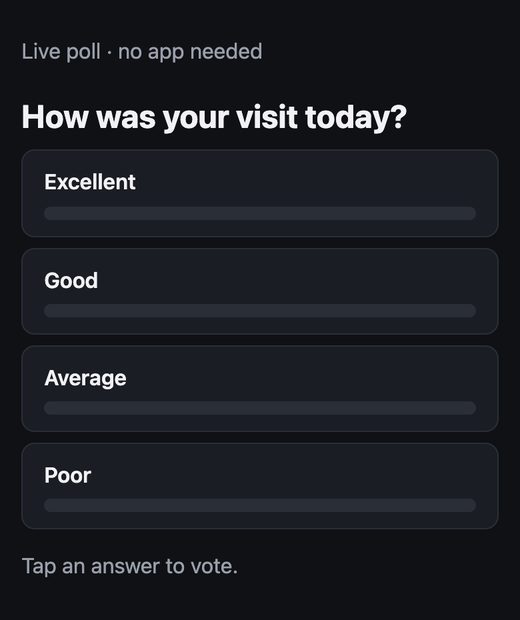
Any timefeedback
Anonymous patient feedback
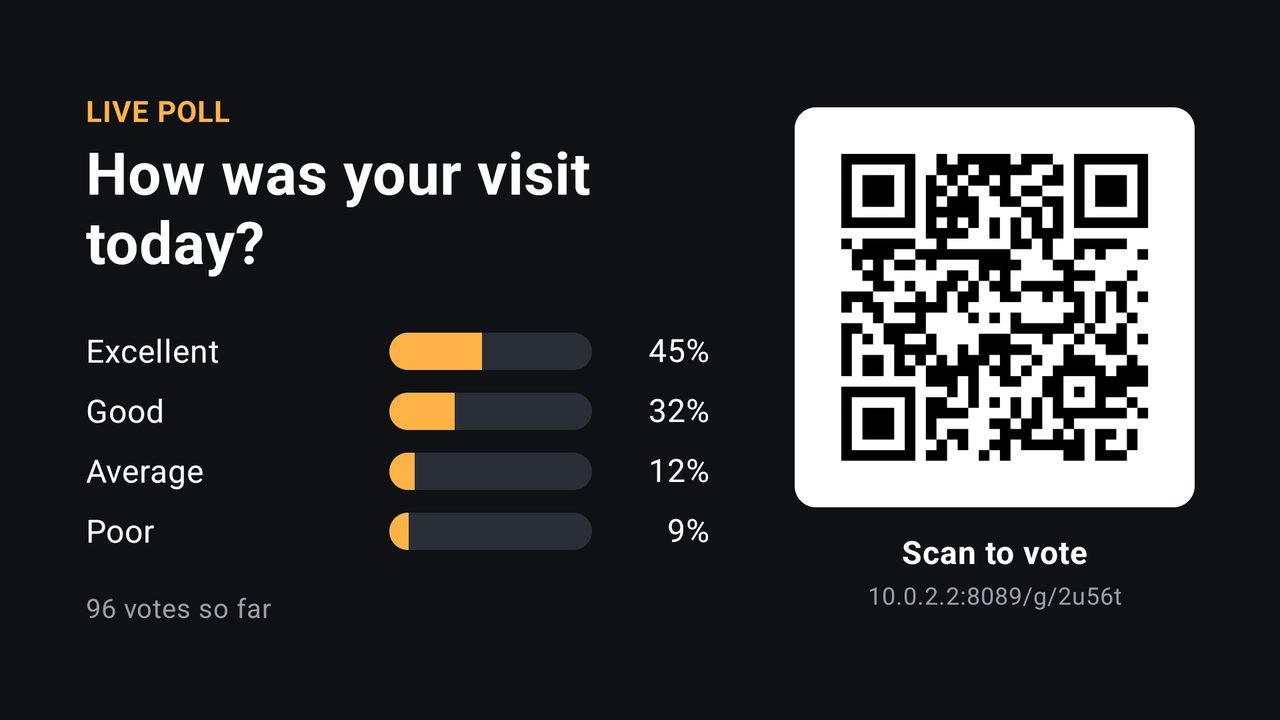
Patients scan the QR on the TV and answer in their phone's browser. No app and no login, and results update on screen within seconds.
When the internet goes down
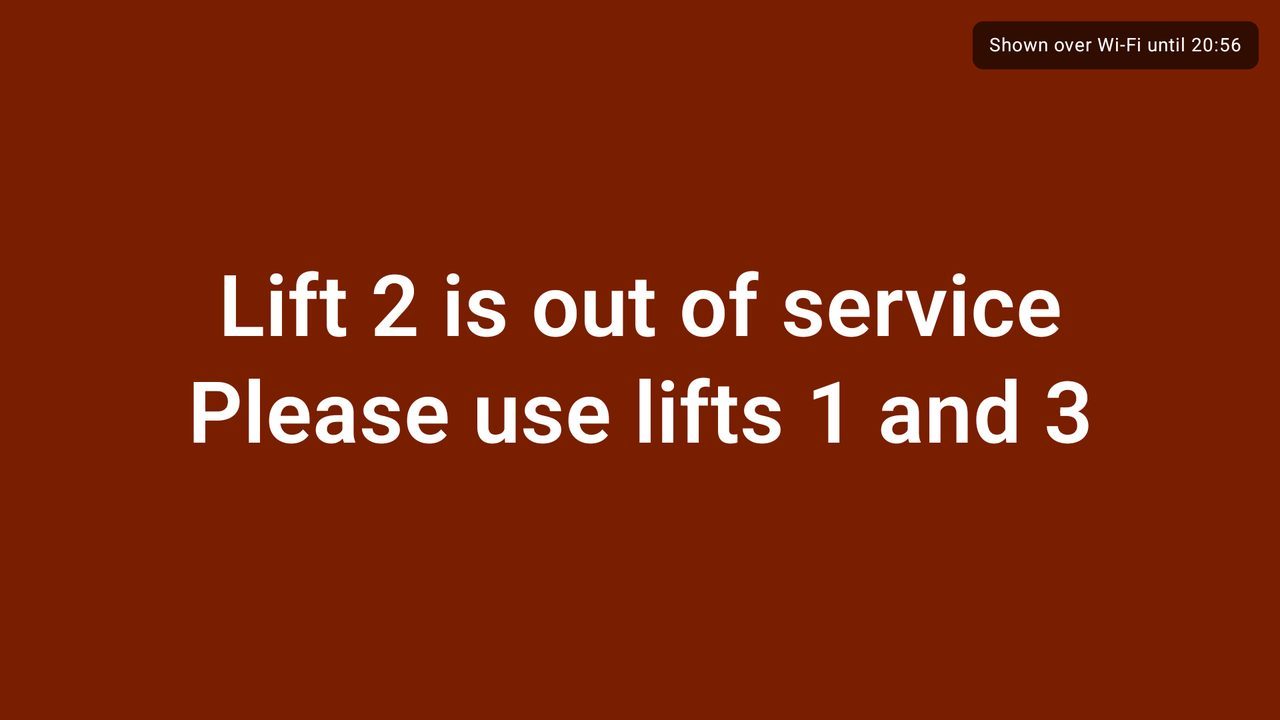
Screens keep playing, and you can still post urgent notices
- Every TV keeps the next 24 hours of its schedule and follows it with no internet.
- Admins' phones on the hospital Wi-Fi can still send a notice to a screen, signed with your hospital's own key.
- Each screen shows a small indicator, so staff know it's working offline.
- When the internet comes back, the security log records who sent what.
What you need
Equipment
| Item | What | Notes |
|---|---|---|
| Each screen | A TV with an Amazon Fire TV stick or an Android TV / Google TV box | Your existing waiting-room TVs work with a plug-in stick. |
| Network | Wi-Fi where the screens are | Screens play the next 24 hours offline. |
| Your team | An Android phone, or any computer browser | Front office, admin or the PR team can manage content. Roles control who can publish. |
Being designed now
Not available yet
We only list what works today. Hospitals have asked for these, and they're on the roadmap:
- Token and queue display, called from a phone.
- A link to your HIS for doctor rosters.
- Logins limited to one department's screens.
- One login for a group of hospitals or clinics.
Questions hospitals ask
Common questions
Can each department have its own screen and timings?
Yes. Every TV has its own schedule, and you can group screens by floor or department to publish to them together.
Does it show patient data?
No. Ulloo Events doesn't connect to patient records. Screens show only the notices, slides and videos your team publishes.
What happens during an internet outage?
Each TV keeps playing its next 24 hours, and admins can post urgent notices over the hospital Wi-Fi.
Can it show token numbers?
Not yet. A token and queue display is being designed; today the screens show schedules, notices and polls.
Which languages can notices use?
Hindi, English, Marathi, Tamil, Telugu, Bengali, Gujarati, Kannada and 16 more.
Do patients need an app for feedback?
No. They scan the QR on the TV and answer in their phone's browser, anonymously.
Screens shown are real screenshots from a demo hospital. Names and timings are demo data. Ulloo Events is in an invitation-only beta.